
Blog authoring showcase (math, figures, code, markdown)
This post is a living reference for everything you can drop into a normal article: front matter, math, the fig shortcode, plain images, highlighted code with line numbers, links, lists, and quotes. Copy the fenced blocks into your own .md files.
1. Front matter (YAML)
Every post starts with metadata between --- lines:
| |
tags: show under the post and on/tags/…pages.params.math: true: required for LaTeX below unless you setmath = trueglobally inconfig.toml.
2. Math (KaTeX)
Inline (same line as text), use \( … \):
| |
Live: The loss is \( \mathcal{L} = -\sum_i y_i \log \hat{y}_i \).
Display block with \[ … \] or $$ … $$:
| |
Live:
\[ \mathrm{softmax}(z_i) = \frac{e^{z_i}}{\sum_j e^{z_j}} \]3. Captions: fig shortcode
Hugo runs shortcodes before Markdown, so putting fig shortcode markup inside ordinary fenced code blocks still executes the shortcode. The copy-paste examples below use raw HTML with < so the line shows up literally (what you copy is normal angle brackets).
Named arguments (easiest to read):
{{< fig src="/images/rag-pipeline.svg" alt="Short description for accessibility" caption="Caption text; **markdown** works here." >}}Live:
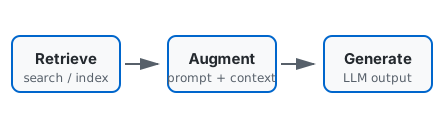
Positional (src, alt, caption in order):
{{< fig "/images/rag-pipeline.svg" "Alt text" "Optional caption." >}}Clickable image (opens URL in a new context—use full URLs for external assets):
{{< fig src="/images/rag-pipeline.svg" alt="Diagram" caption="Thumbnail linking out" href="https://gohugo.io" >}}4. Plain markdown image
File lives under static/; URL starts at site root:
| |
Live:
5. Code fences (syntax + line numbers)
Use a language right after the opening backticks. Hugo/Chroma adds colors and a gutter.
| |
Highlight specific lines (optional fence options — array syntax as in Hugo docs):
| |
Shell:
| |
Inline code: wrap with single backticks: params.math, relURL, config.toml.
6. Writing & structure
Links: Hugo docs
Emphasis: italic, bold, both.
List:
- bullets
- second item
Numbered:
- first
- second
Blockquote:
Use for callouts or citations.
Rule:
7. Quick checklist
| You want | What to do |
|---|---|
| Equations | params.math: true plus \( \[ or $$ (see §2) |
| Diagram with caption | fig shortcode — see §3 for full snippet |
Photo from /static | Markdown  |
| Code with highlighting | Fenced block with a language tag (see §5) |
| Tags on the post | tags: ["a","b"] in front matter |
Tip: open content/posts/blog-authoring-showcase.md in your editor to compare raw markdown with this rendered page.